
Your saves are a graveyard.
Make them useful.
ReelPin reads what you save and writes down what was actually in it: the places, the numbers, the steps. Months later you can find it again without remembering who posted it.
Free to start · Android and iPhone · Any link
instagram.com/reel/C8xk…
readingtranscribingextractingwriting
Illustrative records. Tap one.
How it works
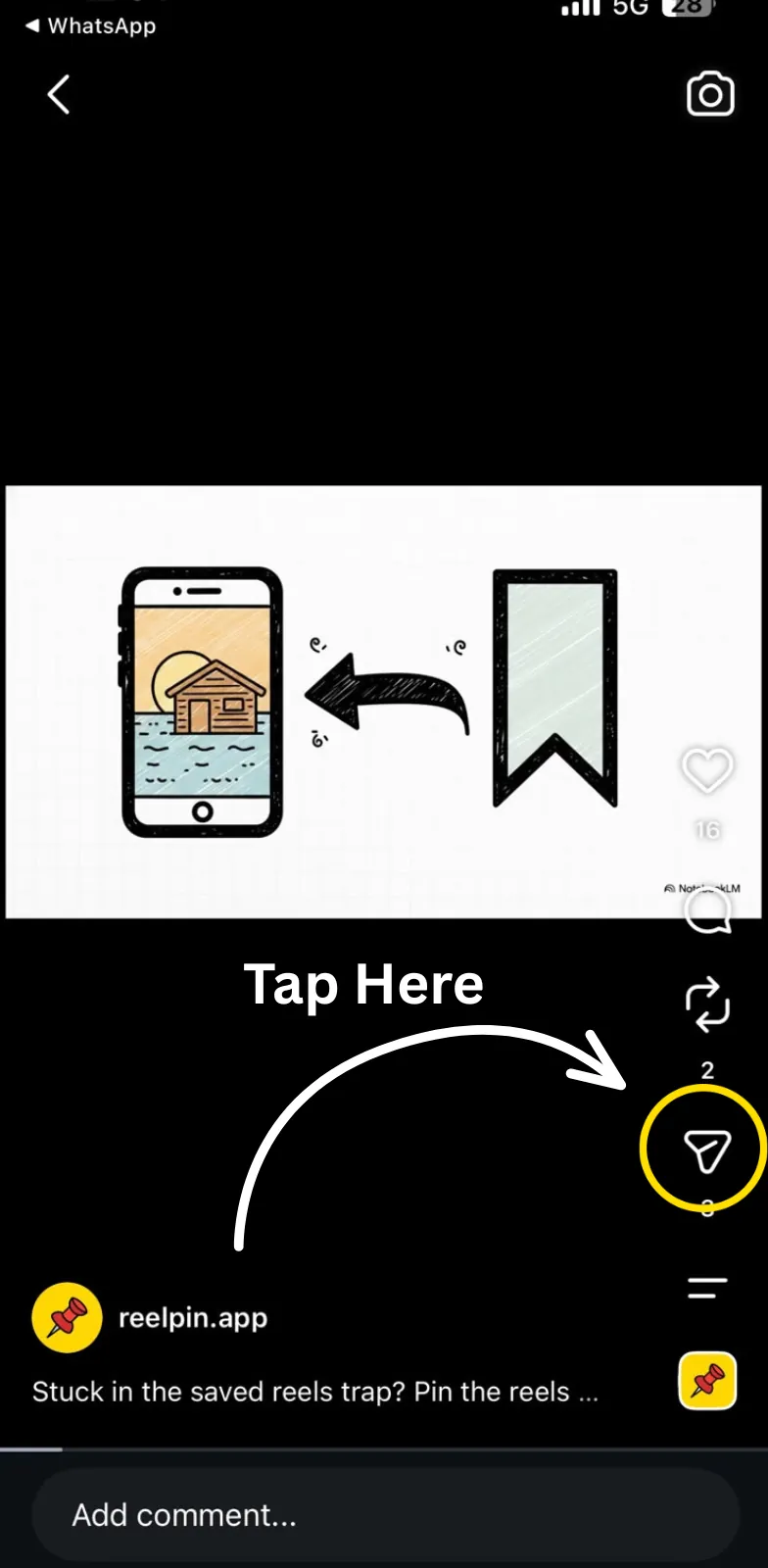
- 01Tap shareTap share on anything you want to keep. Instagram is shown here; it is the same anywhere else.
- 02Tap share againSome apps open their own menu first. Tap share again to reach the phone's share sheet.
- 03Pick ReelPinPick ReelPin. That is the last step from every app.
Works from
- TikTok
- YouTube
- X
- Google Maps
- Airbnb
- TripAdvisor
- MakeMyTrip
- Booking.com
- + any other link
Written down
Every save comes back as notes, not a video
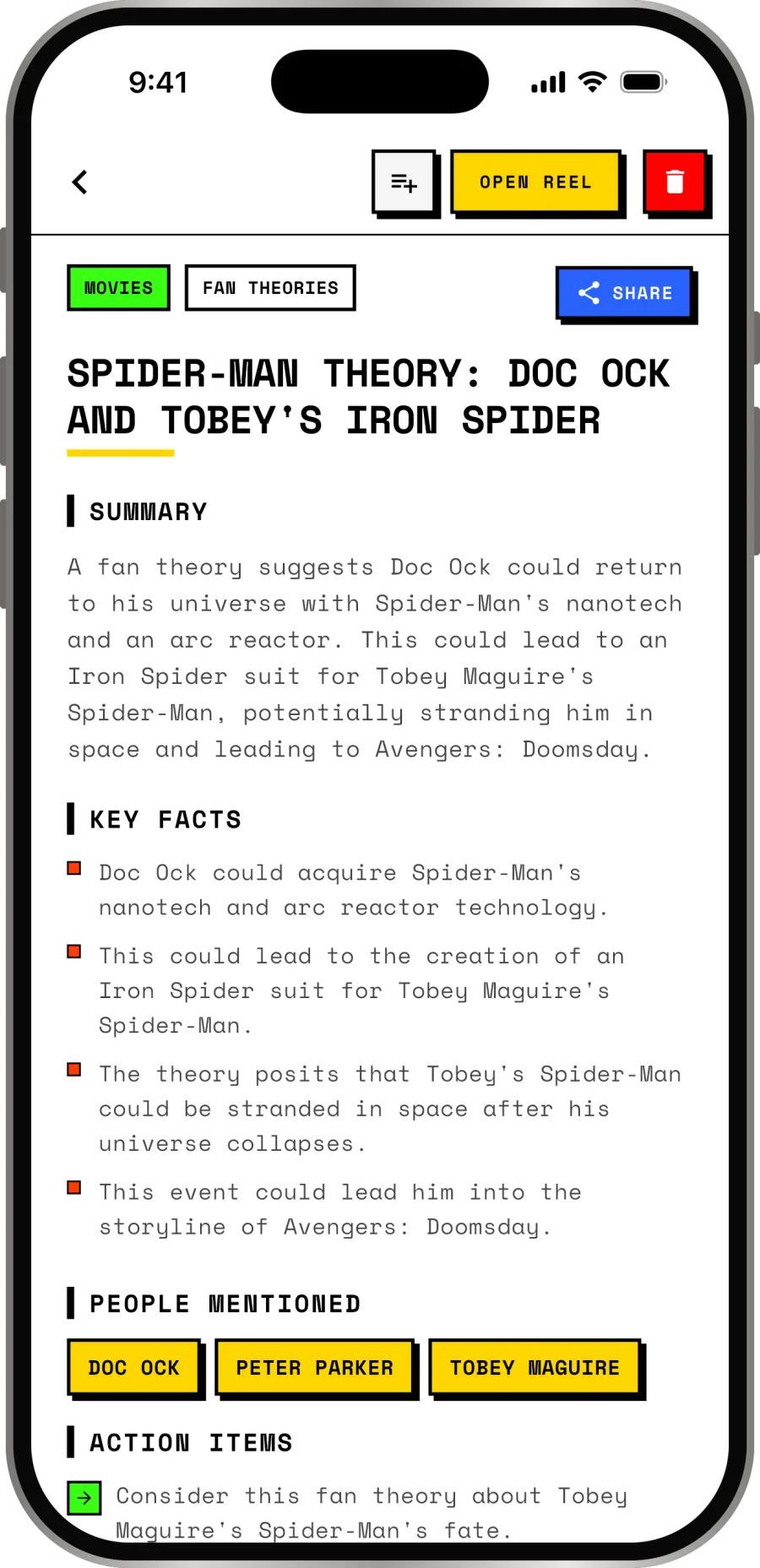
Summary, key facts, the places it named, the people in it, and what to do about it. Pulled out of the audio and the text on screen, usually inside a minute.
- Key facts
- Action items
Questions
How do I save one?
The share sheet in whatever app you are in, then ReelPin. That is the whole thing, and it works while the app is closed.
Do I have to wait around?
No. A notification lands when the record is written, usually inside a minute.
Is it free?
Free to start, with a cap on how much you can save and pin. There is a paid tier for unlimited; the store listing has the current price.
Only Instagram?
No. Instagram, TikTok, YouTube, X, Reddit, LinkedIn, Pinterest, and place links from Google Maps, Zomato, Airbnb and others. Anything else, it reads the page.

Save the next one and see what comes back
Free to start. Sign in with email, Google or Apple.